How does the goals bingo card work?
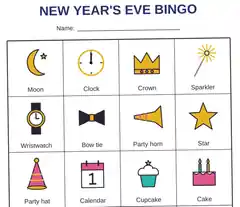
Type one goal per line. The first goals fill the card from the top left, row by row; Shuffle the squares mixes them so similar goals do not sit side by side. On a 5 × 5 or 3 × 3 card the middle square is free and counts as done, as in real bingo.
Tap a square when you have done it. The square gets a round stamp, and the line under the card says how many goals are done and how many bingos you have: a full row, a full column or one of the two diagonals.
Which file do I need?
| File | Pixels | What it is for |
|---|---|---|
| Lock screen | 1080 × 2340 | The phone’s lock screen; the top third is plain for the clock |
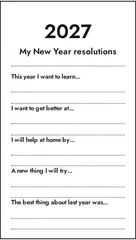
| Post | 1080 × 1350 | A 4:5 post or a message to friends |
| 2480 × 3508 (A4) or 2550 × 3300 (Letter) | The fridge; the card prints 18 cm wide at 300 dots per inch |
The lock screen fits the tall screens most phones have had since 2019 (19.5 : 9). On an older 16 : 9 phone the picture is cropped a little at the top and bottom, where there is only background.
What makes good bingo goals?
Mix sizes. A card with only big goals (“run a marathon”) stays empty until autumn and gets forgotten; a card with a few small ones (“watch a sunrise”) gets its first stamp in January. Write each goal so you know when it is done: “read 12 books” can be ticked off, “read more” cannot. Put goals you share with friends on the card too, then compare cards in December.
Why a bingo card instead of a list of resolutions?
A list asks you to finish everything. A bingo card asks for a line of five, and any five will do, so a goal that turns out not to fit your year does not sink the rest. The card on your lock screen also reminds you dozens of times a day without an app or a notification.
Questions
What is a goals bingo card?
A list of things you want to do this year, laid out as a bingo card. Each square is one goal; when you have done it, you cross it off, and a full row, column or diagonal is a bingo. It turns a list of resolutions into something you want to play.
How many goals do I need?
24 for the classic 5 × 5 card (the middle square is free), 16 for 4 × 4 and 8 for 3 × 3 (its middle is free too). Mix big goals with small ones, so some squares get ticked off early.
How do I put it on my lock screen?
Download the lock screen file (1080 × 2340 pixels), open it in your photos and choose it as the lock screen wallpaper. The top third is left plain so the clock does not cover a goal.
How do I tick off a goal?
Tap its square on the card here. A round stamp appears, the page counts your bingos, and the next download carries the stamp. The card and the ticks are kept in this browser on this device, so you can come back in March and carry on.
Are my goals uploaded or shared?
No. The card is drawn in your browser and kept only in this browser's storage on your device. Nobody else can see it unless you post the picture.
Can I print it?
Yes. Choose Print and A4 or US Letter: the card prints 18 cm wide on white paper at 300 dots per inch. Stick it on the fridge and cross squares off with a pen.