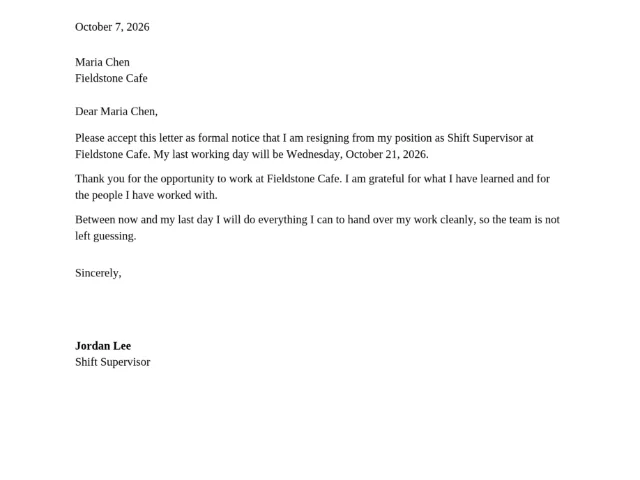
The papers work asks for are always the same three: the letter that ends a
job, the card that counts the hours, the invoice that bills them. Each one
is ten minutes of typing followed by a print — unless the template site
wants an email address first, or the letter leaves [Last Day] for you to
work out. This page is the bench for those jobs: three free tools, each
finishing a real document in minutes, all running in your browser so
nothing you type is ever uploaded.
What can I make on this page?
| The job you arrived with | The tool for it | What you get |
|---|---|---|
| Handing in notice at the job you are leaving | Two weeks notice letter maker | the finished letter, last working day computed, printed or copied as email |
| Checking your hours before payday | Timesheet calculator | a weekly or biweekly time card, totaled in hours-and-minutes and in decimal, with signature lines |
| Billing work you have already done | Invoice generator | a clean invoice with line items (what you charge for) and VAT (sales tax), printed straight to PDF |
Every tool prints at true size on A4 or US Letter at 100 percent scale and states its own limits on its page. The full conversation around the first job — what to say first, what the letter must contain, what stays out — is written out in the guide How do you write a two weeks notice?.
Who is this bench for?
| You are | What you make here |
|---|---|
| Leaving a job | the letter, with the last working day computed both ways so you and your manager read the same date |
| An hourly worker | your own time card, added up again from your clock times before you question what payroll paid |
| A small-shop manager | a week of cards employees sign and you file — no spreadsheet needed |
| Billing your own work | the invoice, with the hours from the time card turned into line items |
The three tools share one bench on purpose: the hours on the card become the lines on the invoice, and the day the letter names is the day the card stops. The money side of the same month — the savings the paycheck feeds — sits on the money bench.
Why nothing here asks who you are
A resignation letter carries your name and your manager’s. A time card carries your hours; an invoice carries your rates. These are not documents to trade for a template: the big names on a template search — Wise, Canva, Adobe Express (checked 30 September 2026) — gate the download behind an email form or an account before you see a finished page. Every tool here computes the document on your device, prints it from your device, and forgets it when you close the tab. No account, no email gate, no upload, no watermark.
The numbers, computed rather than guessed
| The number | What the tool does with it |
|---|---|
| Your last working day | computed two ways — 14 calendar days, and 10 business days counting your notice day as day 1 — and you pick which goes in the letter |
| A day’s hours | shown in hours-and-minutes and in decimal side by side, because 7:30 mis-read as 7.30 is seven minutes short |
| The period total | both formats again, weekly or biweekly, with overnight shifts read as ending the next day |
| Hours above 40 | reported as a plain figure only; overtime rules belong to your employer and your contract, not this page |
| The invoice totals | line items, VAT (sales tax), and the no-VAT small-business sentence where that rule applies — your browser writes the PDF |
The honest edges stay visible: the letter maker does not advise whether you should give notice — your contract and HR come first. Public holidays vary by state and country, so the business-day count skips weekends only. Each day on the card holds one in/out pair and one break. None of the three tools pretends to know your jurisdiction.
What comes next on this bench?
More work papers of the same kind: documents with a date, a name and a signature line, finished in minutes and printed at true size. When a new one joins, it appears in the table above — and the guide shelf grows with it, starting with the two weeks notice guide.
The whole bench stands on the business shelf: the three tools above, plus the workshop’s QR code maker and reader.