What goes on which page
| Page | What is on it |
|---|---|
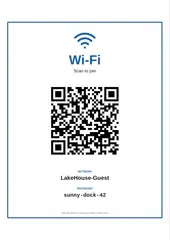
| Page 1, the welcome | the name of your place and its address, your welcome note, the hosts and their phone, check-in and check-out, the Wi-Fi box with the code to join, and the emergency box at the foot |
| Under the Wi-Fi box, then the pages after it | getting in, parking, house rules, how things work, trash and recycling, local tips, and a checklist of what to do before leaving, each only when you typed it |
Lines like “Thermostat: in the hall” print with the part before the colon in bold, so a guest scanning for the thermostat finds it. Each line under “Before you leave” gets a box to tick.
Writing a manual guests read
- Put the questions people call about first: Wi-Fi, getting in, parking, the heating.
- Write one rule per line, and give the reason when it is not obvious (“quiet hours from 10 pm: the neighbors start work early”).
- Keep the checkout list short, five or six things. A long one gets skipped.
- Print a new copy when something changes; the fields are still here next time.
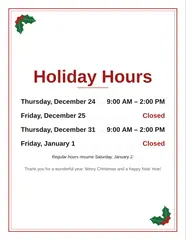
For a Wi-Fi sign to frame in the hallway there is the Wi-Fi sign maker, and the holiday hours sign is for an office or shop door. More for side jobs and small businesses is on the Work page.
Questions
What should a house manual for a vacation rental include?
What guests ask on their first evening: the Wi-Fi name and password, check-in and check-out times, how to get in and where to park, the house rules, how the heating, the TV and the appliances work, where the trash goes and when it is picked up, a few local tips, and what to do before leaving. Add an emergency box with the number to call, the address and the nearest hospital. This maker has a field for each and leaves out what you skip.
How does the Wi-Fi code work?
The code on the first page holds the network name and the password in the format phones read: pointing the camera at it offers to join the network, so nobody types the password. Special characters in the name or password are escaped so the code still joins. The name and password also print as text for laptops.
Should the door code go in the manual?
Think about who sees the booklet: every guest, the cleaner, anyone who walks in. Many hosts send the code in a message on the day of arrival and write only where the lockbox is. The "Getting in" field prints exactly what you type.
Can I print it as a booklet or put it in a binder?
The PDF is one page after another on US Letter or A4, so it prints on any printer. Punch it for a binder, slide it into sheet protectors, or lay the first page on the kitchen table and keep the rest in a drawer.
Is anything uploaded?
No. The manual is drawn and turned into a PDF in your browser, and the Wi-Fi password never leaves your device. The fields are remembered in this browser so you can change the trash day next season; clearing your browser data removes them.