
The flyer that hands out your number
A tear-off flyer works because nobody has to remember anything: they tear off a tab with the number and walk on. Templates for it are word-processor files where every tab has to be typed again and turned sideways by hand. Here you type the number once and it fills every tab, running up the strip the way the tabs are read.
| Kind | Headline it starts with | What the example text covers |
|---|---|---|
| Babysitting | Babysitter available | when, what you do, meeting first |
| Dog walking | Dog walking | walks, feeding, which dogs |
| Tutoring | Math and reading help | which grades, where |
| Room for rent | Room for rent | the room, what is close, what is included |
| Lost pet | Lost cat | what the pet looks like, where it was last seen |
| For sale | For sale | the item, its condition, the price, pick-up |
Type over the headline and the text; the example is there to show what fits, and only what you type prints.
Printing and pinning
- Print at actual size (“100 %”) on plain paper; bright paper gets noticed on a crowded board.
- Cut along each dashed line between the tabs, up to the line across the flyer, not past it.
- Pin it at eye level, by the top corners, so the tabs hang free.
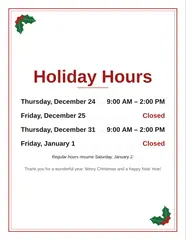
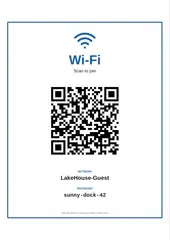
For a sign on your own door there is the holiday hours sign, and for guests the Wi-Fi sign with a QR code. More for work and side jobs is on the Work page.
Questions
How do I make a flyer with tear-off tabs?
Type the headline, the text and your phone number above, choose 6, 8 or 10 tabs and download the PDF. Print it at actual size, then cut along each dashed line between the tabs, up to the line across the flyer. Each tab carries the headline and the number, so people take one and you see from the gaps how many did.
What should a tear-off flyer say?
A headline someone reads from across the room (Dog walking, Room for rent, Lost cat), two or three lines with what, where and when, and the number. The grey example text on the flyer shows the idea for each kind; it never prints, so the flyer says only what you typed. Leave the text empty and the flyer prints lines to write on by hand.
Can I add a photo?
Yes, one photo, cropped to fill the space under the headline: the lost pet, the room, the item for sale. It is drawn into the PDF on your device and never uploaded.
How wide are the tabs?
The tabs share the width of the sheet: on US Letter 8 tabs are 2.5 cm wide and 6.2 cm tall, 10 tabs 2.0 cm, 6 tabs 3.4 cm. The text runs up each tab, with the number in bold.
Is my phone number stored anywhere?
Only in this browser, so the flyer is still there next time; clearing your browser data removes it. Nothing is sent to a server, and there is no account.