
A sign guests can scan
Reading a Wi-Fi password off a sticker on the router and typing it into a phone is where guests give up: a capital letter missed, a zero that was an O. A QR code in the right format does the typing. This maker writes it from the name and the password you type, in the format phones read (WIFI:T:WPA;S:name;P:password;;), with the special characters escaped so a password with a semicolon or a colon still works.
| Size | For | On the sheet |
|---|---|---|
| 8 × 10 in | a frame on the wall or a shelf | one sign, Letter or A4 |
| 5 × 7 in | a frame on a desk, a guest room, a rental | two signs on a landscape sheet |
| Small cards | the welcome folder, a café table, a reception desk | ten cards of 8.9 × 5.1 cm |
Before you hang it
- Test the code on the screen: point a phone’s camera at the preview and join.
- Print at actual size, and check the printed code once more with a second phone.
- Frame it or laminate it, and put it where guests see it, not by the front window.
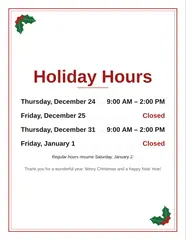
For other codes, a link, a phone number or a contact card, there is the QR code generator. For the shop door at the holidays, the holiday hours sign. More for the workplace is on the Work page.
Questions
How does a Wi-Fi QR code work?
The code holds the network's name, its password and the kind of security in one line of text that phones understand. On iPhones and Android phones from the last several years, the camera recognizes it and offers to join the network; nobody has to type the password.
Is it safe to type my Wi-Fi password into this page?
The password is turned into the QR code and the PDF inside your browser and is never sent anywhere; there is no account. It is remembered in this browser so the sign can be reprinted; clearing your browser data removes it. Anyone who can see the printed sign can join the network, so hang it where only guests see it, or put guests on a separate guest network.
Which security setting do I choose?
For almost every home and office router today: WPA2 / WPA3. Choose WEP only for very old routers, and No password for an open network. If the phone won't join, check that the network name matches the Wi-Fi list exactly, including capitals and spaces.
What sizes does the sign print in?
An 8 × 10 in sign on one sheet, two 5 × 7 in signs on one landscape sheet (both fit standard picture frames), or ten small cards of 8.9 × 5.1 cm, the size of a business card, for a guest room, a rental or a reception desk. Print at actual size, not fit to page.
Can I leave the password off the sign?
Yes: untick "Print the password under the code too" and only the network name is printed. The code still carries the password, so guests can join by scanning.