How to save it as PDF
Click print, then choose “Save as PDF” as the destination instead of a printer. Every current browser on Windows, macOS, Linux, Android and iOS can do this. That is deliberately simpler and more reliable than generating a PDF in the page, and it gives you the exact page size your system uses.
What an invoice has to contain
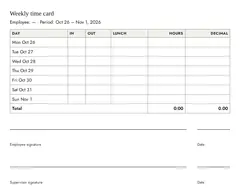
The details depend on your country, but the core is nearly universal: full name and address of both sides, a unique invoice number, the date, what was delivered with quantity and unit price, the net amount (the subtotal before tax), the tax rate and amount, and the total. If you charge by the hour, the timesheet calculator totals the hours for the line item, lunch breaks already taken off. If you grant payment terms such as net 30, the date calculator works out the due date from the invoice date.
In Germany, section 14 of the VAT Act additionally requires your tax number or VAT ID, and for services the date of supply (the day the work was done). Invoices up to 250 euros may use a simplified form. If you invoice under the small business rule (section 19 of the German VAT Act, for small businesses that do not charge VAT), you must not show VAT and you have to state the reason, which the checkbox above adds for you.
This is general information, not tax advice. If your situation is unusual, ask a tax advisor.
Numbering
Invoice numbers must be unique and must not have gaps that you cannot explain. A simple scheme that survives audits is year plus running number: 2026-001, 2026-002. Do not reuse a number for a corrected invoice; issue a new one that references the old.
Your data stays here
Sender, recipient and line items are stored in this browser’s local storage so your details are still there next time. Nothing is sent to a server. Clearing your browser data removes them.
Questions
Is the PDF generated on a server?
No. The page is printed by your browser and your browser writes the PDF. Your invoice data never leaves the device.
Can I add my logo?
Not in this version. A logo is not legally required. If you need one, print to PDF and add it in your PDF viewer.
What is the small business checkbox?
It is the German section 19 VAT rule: below the turnover threshold you do not charge VAT, and the invoice must say so. Ticking it removes the VAT row and adds the required sentence.
Are my invoices saved?
Only in this browser, so the form is prefilled next time. There is no account and no server copy. Save the PDF yourself.
Can I use this commercially?
Yes. It is free to use for real invoices. You remain responsible for the content being correct for your jurisdiction.