Key takeaways
A senior yearbook ad — the recognition page parents buy in the back of the book — is usually photos plus a short message, sold by the fraction of a page.
The three standard sizes are full 8.5 × 11 in, half 8.5 × 5.5 in and quarter 4.25 × 5.5 in; at 300 DPI that is 2550 × 3300, 2550 × 1650 and 1275 × 1650 pixels, and a PDF page box of 612 × 792, 612 × 396 and 306 × 396 points.
The messages that work are short, specific and in your own voice: the senior's name and class, one shared memory, one trait you hope they keep, and who it is from.
A quarter page holds a sentence or two, a half page a short paragraph, a full page two short paragraphs — write long, then cut until it sounds like you talking.
Senior-ad sales open in the fall and run through the winter, and prices often rise along the way — school yearbook accounts were posting exactly that in the second week of October 2026.
No photo is required: a text-only quarter page with a short message is a real thing people buy, and the free yearbook ad maker on this page builds the file either way.
On this page
A senior yearbook ad — the recognition page parents and grandparents buy in the back of the book — asks two questions at once: what do I say, and what size does it have to be? The internet answers with template galleries that want an account before they show you anything. Here are both answers in one place: the wording, the exact page sizes, and a free maker that builds the submittable file.
What is a senior yearbook ad?
It is paid space in the yearbook where a family celebrates their senior: photos, a headline with the name and class year, a short dedication, often a sign-off. Schools sell it by the fraction of a page, and the deadlines run through the fall and winter before the book prints. It is a school tradition, not a school assignment — which is exactly why the wording feels high-stakes. It isn’t. The ads that land are one honest paragraph, not an essay.
What should you write in a senior yearbook ad?
Four parts, in this order:
- The headline — the senior’s name and class, in caps: MAYA RIVERA · CLASS OF 2027.
- One memory — specific beats grand. “You turned ordinary Tuesdays into stories we will tell for years” carries more than any list of awards, because it is recognizably your family’s voice.
- One wish — a trait you hope they keep: curiosity, stubbornness, kindness to the new kid.
- The sign-off — who it is from: Love, Mom & Dad.
Three examples in different voices, all four-to-five lines when set at quarter- to half-page size:
| From | The ad |
|---|---|
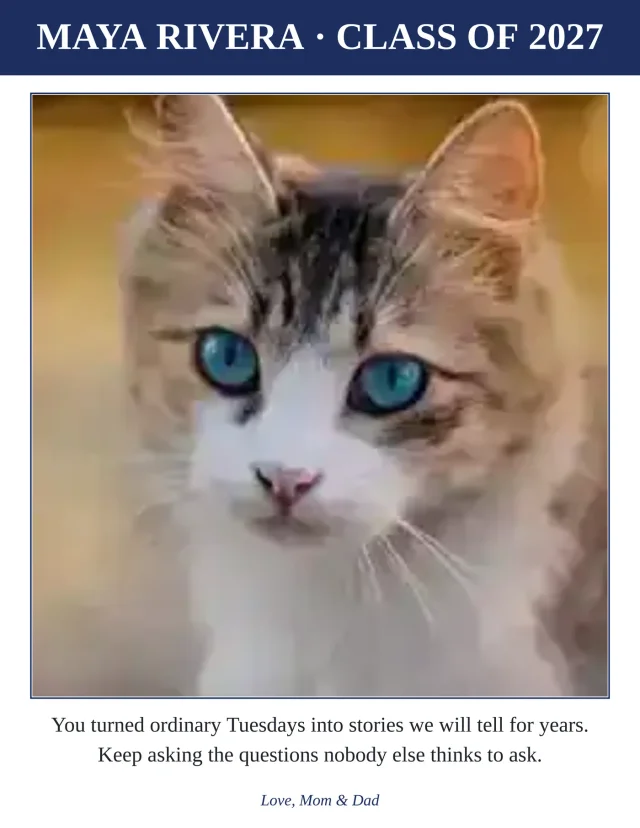
| Parents, full page | MAYA RIVERA · CLASS OF 2027 — You turned ordinary Tuesdays into stories we will tell for years. Keep asking the questions nobody else thinks to ask. Love, Mom & Dad |
| Grandparents, half page | Our granddaughter Maya, Class of 2027. You learned your letters at this kitchen table; now you have written your first chapter. All our love, Grandma & Grandpa |
| A family, quarter page | JORDAN BLAKE · 2027 — First off the bus, last off the field, first in our hearts. — Mom, Dad & Sam |
Write long, then cut until it sounds like you talking out loud. That cut is the whole craft.
How long should the message be?
As long as the page size allows — and the size is not negotiable, because the page is trimmed to it:
| Ad size | Inches | At 300 DPI | PDF page box | What fits |
|---|---|---|---|---|
| Full page | 8.5 × 11 in | 2550 × 3300 px | 612 × 792 pt | A photo plus two short paragraphs |
| Half page | 8.5 × 5.5 in | 2550 × 1650 px | 612 × 396 pt | A photo plus a short paragraph |
| Quarter page | 4.25 × 5.5 in | 1275 × 1650 px | 306 × 396 pt | A photo plus a sentence or two |
These are the sizes the yearbook vendors and template sellers actually sell (compiled 14 October 2026); the pixel and point columns are the conversions at the 300 DPI print shops expect. Schools name the fractions differently — “half-page horizontal”, “1/8 page” — so match the school’s ad form, not the name. The photo print size checker tells you whether the photo you picked is sharp enough at the size you bought before you commit.
The yearbook ad maker enforces the size at pick time and shrinks the message to fit the page — it never spills off the edge, and if a message is truly too long it tells you to shorten it rather than printing something unreadable.
When are senior yearbook ads due?
Sales open in the fall and run into the winter, and the price often rises along the way — in the second week of October 2026, school yearbook accounts were posting senior-ad reminders with exactly that shape: one warning families to order before prices increase, another inviting parents to create their ads, and a third collecting senior photos by simple email to a staff address. Check your school’s form for its date and its submission flow — upload portal or email attachment — and treat the early date as the real one.
How do you make the ad, step by step?
- Pick the size and the photo — one strong portrait for the full or half page; quarter pages carry one small photo or none at all.
- Write the four parts — headline, memory, wish, sign-off — straight into the yearbook ad maker, pick a layout, and set the accent to the school color if you like.
- Download and submit — the PDF is the exact page size for the print shop; the JPG at 300 DPI is sized for upload forms and email.
The whole thing runs in the browser, free, no account, and nothing is uploaded — the ad is built on your device. When the book comes out, the same photos keep working: the photo year-in-review card turns the year itself into a keepsake page.
The five graduation makers and all three guides share one shelf: the graduation page collects the banner, the advice cards, the diplomas, the memory books and this ad, all printable from the same visit.
Questions
What should a senior yearbook ad say from parents?
Three short parts: who it is (name and class year), one specific memory or trait — the dinosaur phase, the morning radio voice, the way they keep score of everything — and who it is from. One or two sentences each. Specific beats grand: 'You turned ordinary Tuesdays into stories we still tell' says more than a list of awards.
What size is a half page yearbook ad?
8.5 × 5.5 inches — the top or bottom half of a US Letter page. At 300 DPI that is 2550 × 1650 pixels; as a PDF page box, 612 × 396 points. Schools sometimes name it 'half-page horizontal'; match the school's ad form rather than the name.
How much does a senior yearbook ad cost?
That is set by your school or its yearbook company, and it is usually not flat — several schools run an early-bird price and raise it as the deadline gets closer (the pattern in the October 2026 school announcements). We do not list prices because every school sets its own. What is free here is making the finished file: the ad maker builds the print-ready PDF and JPG at no cost.
Do yearbook ads need photos?
Most have at least one photo, but no rule requires it — a text-only quarter page with one good line is a real thing people buy. If you do use a photo, check it is sharp enough for the size you bought with the photo print size checker before you commit.
What file does the school need for a yearbook ad?
Whatever the ad form asks for — usually a JPG or PDF, either by upload portal or as an email attachment to a staff address. Build the ad at the exact page size and hand over the file; the yearbook ad maker produces both from the same design. If your school uses the yearbook company's own ad-builder portal instead, build there — the school wants that file, and an outside file does not substitute.
Can I make a yearbook ad on my phone?
Yes. The maker on the tool page runs in the phone's browser — pick photos from the camera roll, type the words, and download. Nothing is uploaded: the ad is built on the phone itself, and the file lands in your downloads like any other.