On this page
- Which photos make good coloring pages?
- How do you turn a photo into a coloring page?
- How do you turn a photo into a coloring page without AI?
- What do AI coloring page generators do with your photo?
- How do you print the coloring page at the right size?
- What can you make from a finished coloring page?
- Questions
Yes — any clear photo becomes a coloring page, and the whole job takes about a minute: crop to the subject, convert the picture to black outlines, print the result at actual size. The converter above does the middle step while you watch, in your browser, with nothing uploaded. This guide shows which photos convert well, which settings keep a page fun to color, and how the AI converters differ — so the result is a page someone will actually finish coloring, not a gray scribble sheet.
Which photos make good coloring pages?
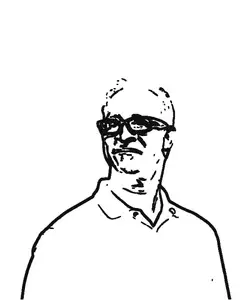
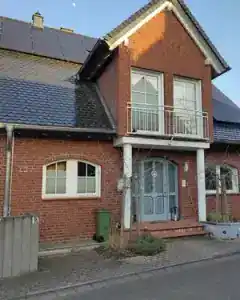
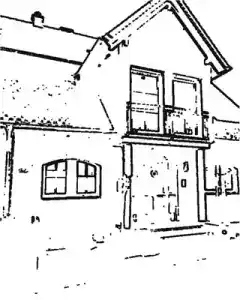
One clear subject on a plain background. A pet looking at the camera, a single face in even light, a flower, a house against sky — pictures like these convert into outlines a child can recognize and fill. Portrait shape helps, because the printed page stands upright like a coloring book.
Three checks before converting:
- Crop tight. Everything in the frame becomes lines — furniture, shadows, other people. Crop to the subject first; it takes seconds and no upload.
- One face, not a group. A group shot turns into a tangle of overlapping outlines. Two faces means two pages.
- Even light beats dramatic light. Hard shadows across a face become heavy black patches with no features inside them.
These are the same three tips Crayola prints under its own converter — portrait images, simple background, contrast between subject and background (their page, checked 6 October 2026). The advice converges because every method, AI or not, works from the same raw material: the difference between light and dark in the picture.
How do you turn a photo into a coloring page?
- Drop the photo into the converter above. It analyses the picture at 800 pixels on the long side — outlines live on edges, not on megapixels — and photos up to 50 megapixels work as they are; anything larger gets an honest note and a smaller working copy.
- Read the counter and move Detail. The tool counts the enclosed regions and labels the page:
| Areas to color | The tool’s label | Realistic for |
|---|---|---|
| up to 12 | easy | young children, any evening |
| 13 – 40 | medium | most family pages |
| 41 – 100 | hard | older kids and patient adults |
| more than 100 | expert | detail fans — push Detail left |
(Bands read from the converter’s shipped code, verified 6 October 2026.)
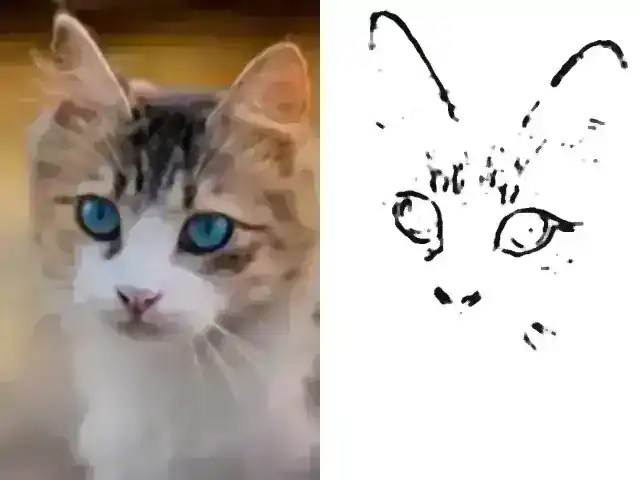
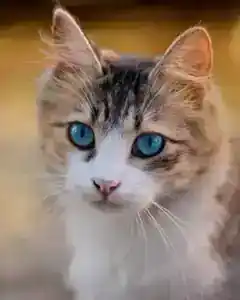
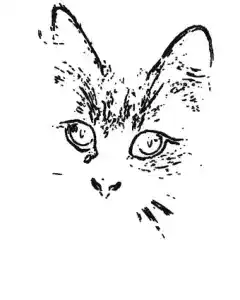
A worked example, computed with the live tool on 6 October 2026: the tabby cat from the example strip measures 184 areas at Detail 0 — expert, too busy for a child. Sliding Detail to −25 thins it to 43 areas — hard, a page an older kid can finish. Every 25 steps of the slider halves or doubles the edge threshold, and the counter updates in about a second. That live count is the point: you see the difficulty before anything reaches the printer.
- Print or download. Line weight sets the thickness — thin for fine-liners, medium (the default) for pencils, bold for crayons. “Add light shading hints” leaves the darkest regions light grey for adult colorists; leave it off for young children.
How do you turn a photo into a coloring page without AI?
Use a converter that measures the photo instead of redrawing it. This one turns the picture to grayscale, stretches its contrast, then a Sobel edge filter — the same family of math image editors use for edge finding — draws a line wherever brightness changes steeply. That is why nothing has to be uploaded: the browser can do the whole computation itself, and the page appears in about a second.
The result is the honest outline of the photo you actually have — whiskers where the whiskers are, the gap between the ears exactly as wide as it is. What you give up is smoothing: an AI can invent clean hair and drop background clutter, and its pages often look prettier at first glance. If you want that look and accept the upload, the AI route is a fair trade — the next section says what it costs beyond money.
What do AI coloring page generators do with your photo?
Every well-known name in this space works from uploads: Canva’s generator sits behind an account, Crayola’s page asks you to add your photo, iColoring and Colorify upload to their servers, Cricut’s lab takes “a prompt, a photo (or both)” — all as served on their pages, checked 6 October 2026. Your photo travels to a server, and an AI draws its own version of it.
The clearest public disclosure of what happens next is ColorBliss: its privacy page states that photos are processed on the company’s servers through OpenAI’s API, and that originals are deleted automatically immediately after the coloring page is generated (checked 4 October 2026). Deletion right after processing is a fair policy — the structural point is not any single company’s behavior, it is that the upload happens either way. For photos of your children, your family album or anyone who did not agree to be processed on a stranger’s servers, nothing-uploaded is the safest setting, and it is the only setting in this family that needs no trust at all.
| Edge detection (this page) | Crayola’s converter | AI generators (Canva, iColoring…) | |
|---|---|---|---|
| Photo leaves your device | no | yes, uploaded | yes, uploaded |
| Account | no | no | Canva: yes; others: free tiers |
| Cost | free, no daily limit | free | free tiers with caps |
| Result | the outline of your actual photo | a black-and-white photo effect | an AI’s redrawn version |
| Style control | Detail, line weight, shading hints | a slider, fixed recipe | named styles, model picker |
How do you print the coloring page at the right size?
Download the PDF rather than printing the screen. The sheet is sized for A4 or US Letter with 14 mm margins, which leaves up to 18.2 cm of page width on A4 and 18.8 cm on Letter (computed from the PDF’s page geometry, 6 October 2026). In the print dialog choose “Actual size” or 100 %, never “Fit to page” — and check the footer line, which prints the true measured width in centimeters next to the note “made in your browser, nothing was uploaded”. A ruler settles any doubt.
Any office paper works for crayons and colored pencils. Markers and watercolors bleed through thin sheets — use heavier paper for those. The optional title line prints above the picture in a fixed 20-point font that carries letters, numbers and basic punctuation only; an emoji in the title is dropped with a note before printing rather than breaking the page.
What can you make from a finished coloring page?
One page is a rainy afternoon. A stack becomes gifts and table activities: the memory game maker turns the same photos into a matching game, and around Halloween the same conversion engine turns a photo into a carvable pumpkin stencil — its own walkthrough lives in the guide How to turn a photo into a pumpkin carving stencil.
For a whole book, the Coloring Book Pack under the converter assembles up to 20 photos into one print-ready PDF with a cover and numbered pages — €7 once, put together in your browser like everything else here. The free route stays open: save each single page and join the PDFs with the images to PDF tool.
More jobs for the same photos — restoring, printing, gifting — sit on the Photos bench.
Questions
Can ChatGPT turn a photo into a coloring page?
Yes — you upload the photo and an AI draws its own line version on the server. That is a fair trade for smooth results; for photos of children, the no-upload converter above keeps the picture on your device.
Can you turn a picture into a coloring page on Canva?
Yes, Canva's generator works from an uploaded photo and a free account, and the result is an AI's redraw of it. This page's converter needs no account and computes the outlines instead of generating them.
Is there a free app to turn pictures into coloring pages?
There are apps, but you do not need one: the converter above runs in any browser, free and without an account or a daily limit — on the phone as well as on the computer.
Can I turn any photo into a coloring page?
Any photo converts, but busy scenes with many small objects turn into dense line networks. Move the Detail slider to the left, or pick a photo with one subject on a plain background.
How do I print the coloring page at full size?
Download the PDF and print it with "Actual size" or 100 % instead of "Fit to page". The footer line on the sheet states the true printed width, so a ruler settles any doubt.
How do I make a whole coloring book from photos?
The Coloring Book Pack under the converter turns up to 20 photos into one print-ready PDF with a cover — €7 once, assembled in your browser. For a free book, save each single page and join them with the images-to-PDF tool.