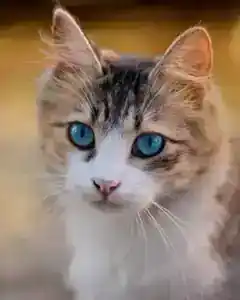
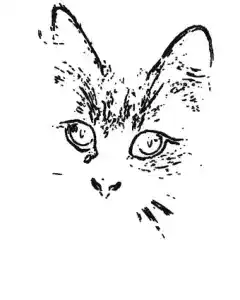

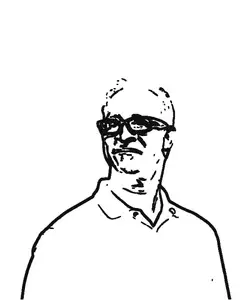

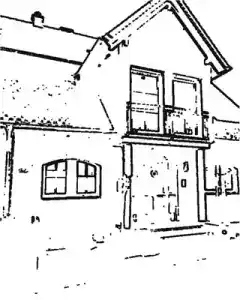
How a photo becomes a coloring page
The tool first converts the photo to grayscale and stretches its brightness range, because most snapshots are flatter than they look and outlines live on contrast. A light blur removes camera noise so it does not turn into speckle.
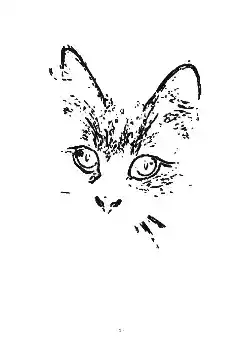
Then a Sobel edge detector measures how fast brightness changes around every pixel, and draws a line wherever the change is steep. That is the same family of math image editors use for edge finding — it produces the true outline of what is in the photo. Small fragments are removed so the page stays pleasant to color, and the Line weight setting thickens the lines for crayons or fine-liners.
The optional title line is drawn on the printed sheet above the picture — “For Grandma”, a name, a birthday. Together with the shading hints this makes the classic personalized coloring page people sell as printed books: a photo of the grandchild, the family dog, the old house, printed and colored by hand.
For a whole book, use the Coloring Book Pack under the tool: add up to 20 photos, pick a style for each page, and get one print-ready PDF with a cover, page numbers and a printing-tips page. The pack is one of three small paid things on this site — the end-of-season Soccer Season Pack and the New Year Family Pack are the others; all are €7 once — while the single pages above stay free and unlimited. And it stays honest the same way the free tool does: the book is assembled entirely in your browser, and your photos are never uploaded. If you would rather not pay, saving each single page as a PDF and joining them with the images to PDF tool next door still works exactly as before. And a book is only one of the photo gifts: eleven free tools that turn photos into presents — a memory game, bunting, gift tags, a revived print — are collected on the photo gifts page.
Photos of children and family albums are exactly the material you should not hand to a random web service. The converters most people meet for this job — ColorBliss, ReallyColor, ColoringBook AI, PicToLines — all start by asking you to upload the photo (their homepages, checked 4 October 2026): ReallyColor’s pitch is “Upload a photo and instantly create your own coloring page”, PicToLines’ own site description says the first two pages are free, and ColorBliss invites you to “try it free with no signup”. ColorBliss is also the most open about what happens next: its privacy page says the photo is processed on the company’s servers through OpenAI’s API, and that originals are “automatically deleted immediately after your coloring page is generated” — but the photo still leaves your device first. Every step of this tool — decoding, edge finding, the PDF — happens in the page you have open, with no credits and no daily limit. Closing the tab erases everything.
The same engine turns a photo into a carvable pumpkin stencil around Halloween, and the image cropper helps you frame a photo tightly before converting it.
Around Halloween the same photos have a second job: costume shots become the party table’s coloring activity, part of the Halloween hub’s from-your-photos section. For Día de los Muertos on 1–2 November, photos of marigolds, candles and things a loved one was fond of become outlines to color for the ofrenda — the Día de los Muertos hub’s make-list sets them beside the paper banner.
At Thanksgiving the pages have a fixed post: the kids’ table. The guide How to make Thanksgiving place cards and get the seating right shows where the coloring stack fits in the bigger table job — place cards first, coloring pages for the small ones while the turkey rests. The Thanksgiving hub’s make-list carries the rest of the day’s printables — place cards, leftover labels, a memory game cut from the same photos.
The tree the whole table joins is made the same way: the thankful tree maker prints leaf cards with the family’s faces and typed gratitude lines, plus the tree to pin them on — the shared activity around the coloring stack. Its full walkthrough is the guide How to make a thankful tree.
For Christmas the same photos wrap into gifts: up to twenty of them become one print-ready coloring book for the grandkids, listed on the Christmas hub’s gift table. On New Year’s Eve the pages keep the children busy until midnight — one of the New Year hub’s eight printables.
The bench behind all of it — this converter, the memory game, the thankful tree, the wish lists — collects on the family and kids page: printables made from the family’s own photos and names, all year round.
Questions
Is this an AI generator?
No. The page is computed from your photo with classic edge detection — the tool measures where brightness changes sharply and draws a line there. That is why nothing has to be uploaded — your browser can do the whole computation itself — and why the result is an honest outline of your actual photo rather than a redrawn guess at it.
Which photos make good coloring pages?
A clear subject on a plain background — a pet looking at the camera, a face in even light, a single flower, a building against sky. Busy scenes with many small objects turn into dense line networks; if that happens, move the Detail slider to the left and the tool keeps only the strongest edges.
Why do AI tools look smoother than this?
An AI generator redraws the photo on a server and can smooth over messy hair, shadows and background clutter — at the cost of sending your photo away and trusting the operator with it. Edge detection draws what is really there. For gifts and classroom use the honest outline is usually the safer trade.
What are the shading hints?
An optional layer of light grey in the photo's darkest regions — hair, shadows, dark clothing — left uncolored or shaded lightly while everything else gets full color. It suits adult colorists who enjoy two-tone pages. Leave it off for young children; a plain outline is easier to fill.
What paper should I print on?
Any office paper works for crayons and pencils. If you color with markers or watercolors, use thicker paper so the ink does not bleed through — the PDF prints the same on both. When you print, choose "Actual size" or "100 %" instead of "Fit to page", so the page comes out full size — a whole A4 or Letter sheet, not shrunk.
How does the Coloring Book Pack work?
Add up to 20 photos below the tool, choose a style for each page, and press one button. You get a single PDF: a cover with your title, every photo as its own numbered coloring page, and a page of printing tips at the end. The book costs €7 once — a single payment, then it is yours. The single-page tool above stays completely free, and neither one ever uploads your photos: the whole book is put together in your browser.
Is my photo uploaded anywhere?
No. The photo is decoded and converted to lines entirely in your browser, and the PDF is assembled there too. Nothing is sent to a server, there is no daily limit, and no account is needed to download. After you pay for the Coloring Book Pack, the only thing our server ever sees is the payment confirmation number from Polar — never a photo, never a name.
How do I turn a photo into a coloring page without AI?
Use a converter that computes the outlines instead of generating them — this page does exactly that: classic edge detection inside your browser, no AI, no upload, no account. You get the honest outline of the photo you actually have, printed true-size for A4 or Letter.
Can ChatGPT turn a picture into a coloring page?
Yes, ChatGPT and the big free converters such as Canva, Fotor and ColorBliss all make coloring-page images from an uploaded photo — which means the photo leaves your device and an AI redraws its own version of it. That is a fair trade for smooth results; if the photo is of your children, the no-upload route above is the safer one.