A thank-you card in the parcel is the small shop’s handshake: the customer opens the box, and before the tissue paper there is a note with your name on it. This maker prints those cards by the sheet. You type the shop name and a few lines once; the cards come out ten to a page at business-card size or two to a page as postcards, each with your message, your sign-off, an optional discount code for the next order and an optional QR code that opens your shop.
What goes on the card
- Your shop name, in small spaced capitals in the colour you pick.
- A headline, “Thank you!” to start with, in a bold italic serif.
- The message. Four wordings come with the maker, from “made by hand” to a holiday note; edit any of them, or write your own. The text shrinks a little before a line is ever cut, and the maker tells you if the message is longer than the card holds.
- Your sign-off, such as “With love, Maya”.
- An offer and a code, such as “15% off your next order · code THANKYOU15”, in a dashed box at the foot.
- A QR code to your shop, your review page or your profile, made in your browser, with a short line under it.
Sizes and sheets
| Card | Size | On one US Letter or A4 sheet |
|---|---|---|
| Business card | 3.5 × 2 in (88.9 × 50.8 mm) | 10, in two columns of five |
| Postcard | 6 × 4 in (152.4 × 101.6 mm) | 2, one above the other |
The cards sit edge to edge in the middle of the sheet, so every cut serves two cards: ten business cards take nine straight cuts. Short black marks in the margin show where each gray line runs, so the lines stay easy to find once the first strip is off. Choose up to 20 sheets at once, and print at 100 percent.
Three looks
- Clean: a bar of your colour down the left edge.
- Holiday: a red and green double border with a sprig of holly on top, for the cards that go out in November and December.
- Botanical: a thin border in your colour with a leafy sprig on top.
Before you print a hundred
Print one sheet on plain paper first. Check the spelling of the code, scan one QR code with your phone and make sure it opens the right page, and look at the card at arm’s length. Then print the rest on card stock.
What it costs
Nothing. No account, no watermark, no limit on sheets. The cards are drawn in your browser and handed to your printer as a PDF; your shop details never leave your device.
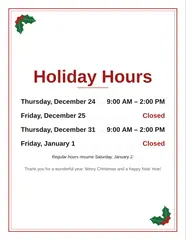
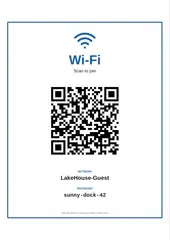
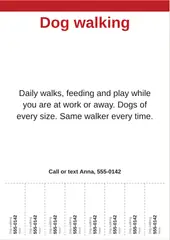
For the counter and the door, the same bench makes a QR code on its own, a holiday hours sign and a tear-off flyer. The whole shelf of work tools lives on the Work page.
Questions
What should I write in a thank you for your order card?
Keep it short and personal: thank them, say one true thing about your shop, and sign with your first name. Four wordings to start from come with the maker, among them "Thank you for your order! Every piece is made by hand, and it means the world that you chose a small shop." and "Your order made my day. If you love it, a quick review helps a small shop more than you know." Pick one and change it until it sounds like you.
What size is a thank you for your order card?
The two common sizes are a business card, 3.5 × 2 inches, which slips into any parcel, and a 6 × 4 inch postcard, which leaves room for a longer note. This maker prints both: ten business cards or two postcards on one US Letter or A4 sheet, edge to edge with gray cut lines, so ten cards take nine straight cuts.
Can I put a discount code and a QR code on the card?
Yes. Type an offer and a code, and they print in a dashed box at the foot of the card. Paste the link to your shop, your review page or your social profile, and a QR code for it is made in your browser and printed beside the text. Scan one printed card with your phone before you cut the rest.
What paper should I print them on?
Card stock that your printer takes, the heavier the better for a card that survives the parcel. Plain paper works for a test sheet. Print at 100 percent, never "fit to page", so the cards come out at their true size.
Is my shop information uploaded anywhere?
No. The cards, the QR code and the PDF are all made in your browser; nothing you type is sent anywhere, and there is no account.