On this page
- How do you view old slides without a projector?
- Which side of the slide faces the camera?
- How do you turn a tray of slides into digital photos for free?
- What does it cost to turn slides into digital photos?
- How good is a phone photo of a slide?
- What do the handwritten labels on the mounts tell you?
- What about slides that have faded to orange?
- When is a scanning service worth paying for?
- Questions
A tray of mounted slides is fifty years of family pictures nobody has looked at since the projector went to the loft. The pictures are not lost. A slide is a finished positive (the film already looks like the photo), and the projector only ever did two jobs: put bright light behind the film, and magnify it. The phone in your pocket does both. This page shows how to view the whole tray without buying anything, how to turn the slides worth keeping into print-ready digital photos for $0 (in the browser; nothing is uploaded), and where the honest limits of that sit.
How do you view old slides without a projector?
Give the film the light it was made for. A slide is translucent: held against a light, the picture appears by itself.
- Make a light box from a screen. A tablet or a second phone showing a plain white page at full brightness. Lay the slide on it, film up, and the picture glows through the mount’s window. Even light matters more than bright light; a bare bulb shows as a hot spot in the middle.
- Or use a window. Thin clouds make an even white light. Hold the mount up and look through it; this is how a tray gets sorted before anything else happens.
- Let the camera be the loupe. Open the camera, point it at the lit slide, pinch to zoom. Old viewing meant a darkened room and a projector humming; this works at the kitchen table in daylight, one mount at a time.
That is viewing, and it is where most guides stop. What is worth keeping, the next sections save.
Which side of the slide faces the camera?
Film has a front and a back, and the cardboard mount hides which is which. Against the screen, the side where the picture looks sharpest and most colorful is the one to photograph, usually the side without the handwritten label. Photographed through the back, the picture arrives mirrored: writing reads backwards and wedding rings change hands. It is an easy mistake, because both sides look similar against the light. The converter below has a one-tick mirror fix. And one habit to keep: look at the label before you photograph anything, for a reason the costs table never mentions (see the labels section below).
How do you turn a tray of slides into digital photos for free?
One mount per photo, on the same white screen:
- Lay the mount on the white page, clear side up. Square the phone over it: flat, parallel, close enough that the mount fills the picture.
- Tap to focus. Flash off; the flash drowns the film and mirrors your reflection into the shot.
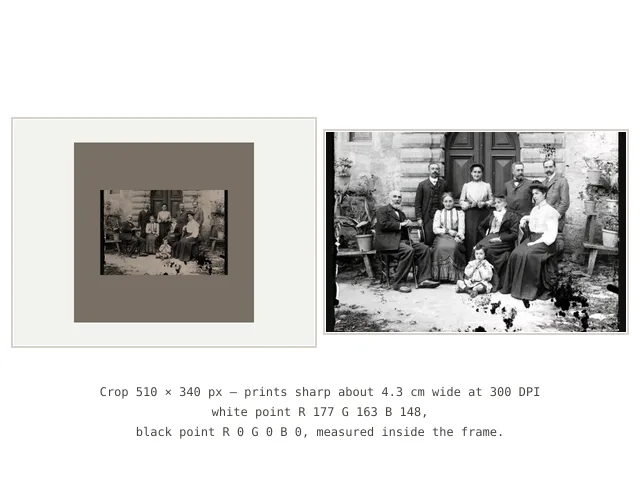
- Shoot, then drop the photo into the slide converter embedded at the top of this page. Drag the frame over the slide’s window (it is locked to the film’s real 3:2 shape, so the cardboard falls outside it), let the light fix measure the frame, and save.
The light fix is a measurement, not a filter: it reads the brightest and darkest points inside the frame, separately for red, green and blue, and stretches each color back to full range. That removes the dimness and the yellow cast a phone capture picks up: the white point is sampled inside the frame, so the bright screen around the mount never skews it. Save as JPG or PNG at the crop’s own pixels, or as an exact 4 × 6 inch print file (1800 × 1200 pixels, the same 3:2 shape, so nothing is cut away to fit). Turn buttons straighten a sideways shot; the mirror tick un-flips film photographed through the back.
What it honestly does not do: it does not repair dust and scratches (the old photo scratch remover fills those afterward), and it does not invent color or sharpness, and it is not AI. Every step is a measurement, the same work a photo lab once did by hand. That restraint is why the page can make its promise: the slides never leave the house.
What does it cost to turn slides into digital photos?
The question the services’ own pages never answer plainly. Every way, with prices as read on 5–8 October 2026:
| Way | What it costs | What you get |
|---|---|---|
| Viewer or scanner hardware | Magnasonic all-in-one $129.99 (magnasonic.com product page, read 8 October 2026; list prices move). Kodak’s own Slide N Scan page quotes no price (kodak.com, read 8 October 2026), and the Plustek 8200i Ai, the dedicated film scanner that is the step up from viewers, is sold through camera dealers | files at home, one slide at a time, your evenings |
| The SlideScan app (Photomyne) | free to install, then in-app purchases; the free tier’s scan limit is not stated on the store listing (read 5 October 2026) | app-locked files on the phone; 100,000+ downloads, 3.7 stars from about 2,520 reviews |
| A mail-away service (SouthTree class) | 25¢ per slide; 100 slides = $34.99 (southtree.com, read 5 October 2026); Legacybox $69.98 for the 2-item Starter box to $2,499.98 for the 80-item Vault (legacybox.com, read 8 October 2026) | files or a disc by post, so the tray leaves the house |
| Phone + white screen + this page’s converter | $0, computed on your own device | JPG/PNG files, print-ready at 4 × 6 in |
The free row is not a lesser copy of the paid ones. It is the only way that keeps the only copy of unrepeatable pictures at home, and the only one you can try before spending anything. Where the paid ways honestly win: a real scanner gives more pixels for big prints (the math is below), and a service saves your evenings when the box holds many hundreds.
How good is a phone photo of a slide?
Computable, and worth computing before buying anything, because the mount changes the math. This site’s negatives guide works from a 36 mm film strip photographed to fill the phone frame: 4032 pixels across 36 mm, about 2845 DPI worth of detail (computed 1 October 2026). A slide denies you that fill. The film window sits inside a 2-inch cardboard mount, and the mount is what you photograph:
- A 12-megapixel phone makes 4032 × 3024-pixel pictures. The square mount (50.8 mm across) can use only the picture’s short side: 3024 px ÷ 50.8 mm = 59.5 px per mm, exactly 1512 DPI, because two inches is exactly 50.8 mm (computed 6 October 2026).
- The 3:2 window inside then carries 36 mm × 59.5 px/mm ≈ 2143 px wide, 1429 px tall. Call it the mount tax: half the pixel count of the strip, no matter how good the phone.
What that prints, on the print checker’s bands (sharp at 300 DPI and up, good at 200–299, soft below 200):
| Pixels it needs | The full-frame crop (2143 × 1429) delivers | |
|---|---|---|
| 4 × 6 in | 1200 × 1800 | 357 DPI: sharp, with room to spare |
| 5 × 7 in | 1500 × 2100 | 286 DPI on the short side: good, just short of sharp |
| 8 × 10 in | 2400 × 3000 | 179 DPI: soft |
Real photos leave slack around the mount, so real crops land lower; the converter page’s typical figure is 1300–1900 px wide. Fill the frame edge to edge and the 4 × 6 stays sharp; leave a white border and the verdict slides to good. Drop any saved file into the photo print size checker for the verdict on the file you actually have; how big you can print a photo explains why the DPI decides it. The honest ceiling of the free path: album and frame prints up to about 13 × 18 cm, not posters. Wall size wants the scanner hardware in the table above, which is the honest reason that hardware exists.
What do the handwritten labels on the mounts tell you?
Often the only record of who is in the picture. For fifty years the mount was the caption: a name, a place, a year, “Nana’s garden 1968” in fading ballpoint. Crop the cardboard away and that caption goes with it, and unlike the picture, a discarded mount cannot be restored. So the habit, in order: read the label before you photograph the slide; copy the names and the year into your phone’s notes or the photo’s caption; if the writing itself is fading, photograph the label lying on the table, as its own picture. Keep the mounts until the names are copied, the same rule the negatives guide applies to strips: nothing that carries the only copy of a name leaves the house before its information does. Prints and albums have no mount to read; how to label old family photos is the print-side answer, and its caption card maker types the names onto free printable cards.
What about slides that have faded to orange?
Color film fades on a schedule. From roughly the 1960s to the 1980s the cyan dye fades first, and the picture drifts toward orange, with muddy browns where the black should be. The converter’s light fix corrects what the camera recorded of the slide; it cannot bring back dye the film itself has lost. The faded photo color restorer does the next part: it measures how far each color has drifted and slides it back toward where it started. Dye that is truly gone stays gone; nothing honest invents it. The whole repair sequence, negatives and prints included, is walked step by step on the restoring old photos page.
When is a scanning service worth paying for?
Three honest cases. One: the box holds many hundreds of slides and your evenings are the real cost: at the listed 25¢ per slide, 300 slides come to about $75 (computed 6 October 2026 from the listed rate read 5 October 2026). Two: the film is curled, buckled or smells of vinegar; that film needs professional handling before it loses its pictures entirely. Three: you want wall-size prints, which need more pixels than a phone can catch through a mount. For everything else, the tray with a few dozen family pictures, try the free path on ten slides first. It costs nothing, keeps the tray at home, and shows you what you actually have before anyone quotes you for it.
When those first ten slides turn into photos worth giving, the rest of the bench is close: the Photos shelf holds the repair and print tools together, and film in strips rather than mounts is the box of old photo negatives job: different film, different math, same browser.
Questions
How can I view old slides without a projector?
Lay the mount on a bright, even white light (a phone or tablet showing a blank white page at full brightness works at the kitchen table) and the picture glows through the film. Zoom the camera in to see it at loupe size; no projector or viewer needed.
How do I convert slides to digital for free?
Photograph one mount flat against the white screen, then drop the photo into the converter on this page: drag the frame over the film window, let the one-tap light fix measure the light inside the frame, and save a JPG or PNG. It runs in your browser: no app, no account, and the photo never leaves your device.
Which side of the slide faces the camera?
The side where the picture looks clearest, usually the side without the handwritten label. Photographed from the back, the picture arrives mirrored: writing reads backwards, rings change hands. The mirror tick on the converter flips it back in one step.
Can I use my iPhone or another phone?
Yes, any phone with a decent camera. iPhones save photos as HEIC; Safari opens HEIC directly, so the converter on this page works on the phone itself. If you move the photos to a Windows PC first, convert them to JPG on the site's HEIC to JPG page (the converter lives at amufo.com/tools/heic-to-jpg/), free and in the browser.
How big can I print a slide I converted?
From one mount filling the phone frame, the film window carries about 2143 × 1429 pixels (computed 6 October 2026): a sharp 4 × 6 inch print, a good 5 × 7, soft at 8 × 10. Drop a saved file into the photo print size checker for the verdict on your actual photo.
Is it worth paying a service to scan slides?
For boxes of many hundreds, or film that is curled or smells of vinegar, honestly yes: at the listed 25¢ per slide, 300 slides come to about $75 (computed from the listed rate, read 5 October 2026). For a first look, convert ten slides free on this page and see what the tray holds before spending anything.