How does this wish list maker work?
You type, the page prints. Each line in the box above becomes one numbered row on the sheet, and anything after a vertical bar fills the buyer columns: the first bar starts the size / notes column, the second the where to buy column (like Red bike | size 20 | the bike shop). The sheet prints with a title band up top (the child’s name at the left, a date line at the right), a priority checkbox on every row, ruled lines you can still write on, and a footer with the print-at-100 % reminder. Three ready designs dress the same sheet: Holly (green frame), Candy cane (red frame) and Snowflake (blue); the lettering stays black on all three. Pick one above the preview and the sheet redraws. Download the PDF, print it, done: the list goes to Santa, to the grandparents, or onto the fridge.
The three sheet styles are one family:
| Style | What prints | Best for |
|---|---|---|
| Wish list | Title band with name and date, numbered checkbox rows, the typed wish on the line, size / notes and where to buy beside it | a list the family can shop from |
| Letter to Santa | “Dear Santa,”, the wishes as the body, “Love, Emma” | the child who writes to Santa |
| Blank (fill in by hand) | Name line, date line and 14 numbered checkbox rows with ruled columns, nothing typed | the child who wants to write it themselves |
Blank templates are easy to find; the typing is the chore this tool takes away. But the blank sheet stays one click away, because sometimes the writing is the present: a list in your child’s own hand goes in the keepsake box, not the recycling.
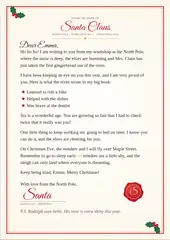
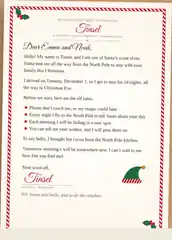
And Santa can write back: the letter from Santa maker prints his reply with your child’s name, a few good things from their year and a Nice List certificate.
When should the list be ready?
Work backwards from Christmas Day, Friday 25 December 2026. The list itself is a ten-minute job; the deadline is the people who need it. Grandparents and the family group chat want the list before they shop; late November is the honest cutoff, before the December rush eats every weekend. A letter to Santa can wait for the magic evening it belongs to; the blank fill-in sheet is the quiet first-week-of-December activity that buys you twenty minutes.
If the wishes are for things you will photograph and print anyway, the Christmas photo gifts hub has the rest of the job: gift tags with your photo inside, an advent calendar from your own pictures, a coloring book for the grandkids.
What makes a good wish line?
The wish comes first, and then the detail that saves a phone call. Everything after the first bar lands in the size / notes column, everything after the second in the where to buy column:
- the size:
Red bike | size 20, height 116 cm - the color:
Woolly hat | dark green, not neon - the shop:
Sled | plastic, 90 cm | the toy shop in the mall
A wish with its size and color is a wish that fits when it arrives, and a wish with its shop is one that actually gets bought. Long notes are fine; they print small in their own column.
How do I print it the right size?
- Pick A4 or US Letter above to match the paper in your printer.
- Download the PDF; it is built on your device, in your browser.
- In the print dialog, set scaling to 100 percent or actual size. Fit-to-page shrinks the sheet and the lines drift.
- Print one sheet first. If the lines land where you expect, print the copies for every grandparents’ house.
What this tool deliberately does not do
It does not make a share-online list. Sharing a link with the whole family, where everyone marks what they are buying, is a different job, served by share-list websites; this page prints paper, and the paper is the artifact. It also does not mail anything: a letter to Santa printed here still needs the walk to the mailbox, and that walk is yours.
For the rest of the season’s paper: the photo gift tags label the presents this list brings, the Thanksgiving place cards set the table a month earlier, and the New Year resolution sheet starts the year this list ends.
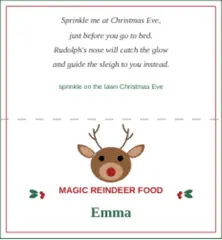
And for the Christmas Eve magic itself: the reindeer food guide walks the oats-and-poem bags the class or the cousins scatter on the lawn, with each child’s name typed on the topper, the same way this page types their wishes.
And the bench runs past Christmas: the family and kids page collects the sheets, games and lists families print from their own photos, all year.
For a gift exchange among grown-ups, the Secret Santa questionnaire is the same idea for the office: one page per person, from favorite snack to please, no.
Questions
Can I make a free printable Christmas wish list?
Yes. Type the wishes above and download the PDF; it is free, prints at true size, and carries no watermark. There is no account and no email address; the file is built on your device.
How do I add a size or a shop to a wish?
Put them after vertical bars, like “Red bike | size 20 | the bike shop”: the wish prints on the row, the second part in the size / notes column, the third in the where to buy column. The bars are optional; a plain line is just a wish.
Can I print a blank wish list to fill in by hand?
Yes, choose “Blank (fill in by hand)” under Sheet style. You get a name line, a date line and fourteen numbered rows, each with a priority checkbox and ruled columns for size / notes and where to buy. Typed wishes are ignored in this mode; the rows stay empty for the pen.
Can my child write a letter to Santa instead?
Yes, choose “Letter to Santa”. The same wishes print as a letter: “Dear Santa,” at the top, the numbered wishes as the body, and “Love,” with your child's name at the end. One toggle, no second page to hunt for.
Does the wish list work printed in black and white?
Yes. The title, the numbers, the checkboxes, the ruled lines and every wish print black on white. Only the frame, its corner ornaments and mid-edge diamonds, the title flourishes, the motif and the header rule wear the design's color, and they come out as clean grays on a mono printer. Nothing on the sheet needs color to make sense.
Can I choose a different design?
Yes. Three ready designs sit above the preview: Holly (green frame), Candy cane (red frame) and Snowflake (blue). The lettering stays black on all three; each design changes the frame, the corner ornaments and the header rule, and all three come out as clean grays on a black-and-white printer.
Is anything uploaded from this page?
No. The wishes, the preview and the PDF are all built inside your browser, and no request carries anything you typed. Your browser keeps the list and the name on this device, so they come back on your next visit; clear the site's data and they are gone.